Keep your family safe — and keep your data in the family.
MyGLE helps your household look out for each other without handing your life to advertisers. Know a loved one made it home safely, get a heads-up if an unfamiliar tracker is trailing someone, and keep every observation on a backend your family owns. The phones you already carry — or a small sensor you leave at a place you care about — do the quiet work; your data never leaves your hands.
Build it yourself Say helloWhat it does
MyGLE turns the phones your family already carries into quiet safety helpers. Each phone notices the everyday wireless landmarks around it — nearby WiFi, Bluetooth, and cellular — and sends that, encrypted, to a backend your family runs. From those ordinary signals, MyGLE answers a few very human questions:
Did they get there safely?
A daily travel summary tells you a family member reached where they were headed — without you having to ask.
Is something following us?
MyGLE watches for an unfamiliar Bluetooth tracker that keeps reappearing across trips — an increasingly common stalking tactic.
Where's home, where isn't?
Mark the places that matter as safety zones — including do-not-capture zones the app records nothing inside.
Whose data is this?
Yours. Everything lives on a backend your family owns and can self-host — no ad-tech middleman, ever.
Watch over a place, too.
The sensor doesn't have to be a phone in a pocket. Leave a spare phone — or a low-cost ESP-32 or Raspberry Pi — running at home, a cabin, or a shop, and it quietly learns that spot's normal wireless rhythm and flags the unfamiliar device that lingers where it shouldn't.
Under the hood the architecture is simple: the phone is the sensor, your backend is the brain, and analytic plugins turn raw signals into the plain-language answers above. The wireless sensing is only the means — family safety and privacy are the point.
Why a community project?
Looking out for the people you love increasingly runs through the airwaves — a phone that pings home, a Bluetooth tag clipped to a backpack, the tracker someone could quietly slip into a bag. Most of it is harmless. But the companies best positioned to make sense of those signals are the same ones that sell what they learn about you.
MyGLE exists so families and small communities can answer "is everyone okay?" with their own data, on their own terms. The app is open and runs on phones you already own; the backend is something you can host yourself — or, eventually, something we host for you, funded by donations rather than by your data.
Coming later: a managed backend for families who want the safety insights without running their own server, supported by a donation page so folks who can chip in keep the lights on for everyone else. Client and server stay open-source either way.
What's working today
Here's what's actually shipped and running — not a wishlist. We work hard to separate what's proven from what's planned.
Safety zones & lists, editable from the web
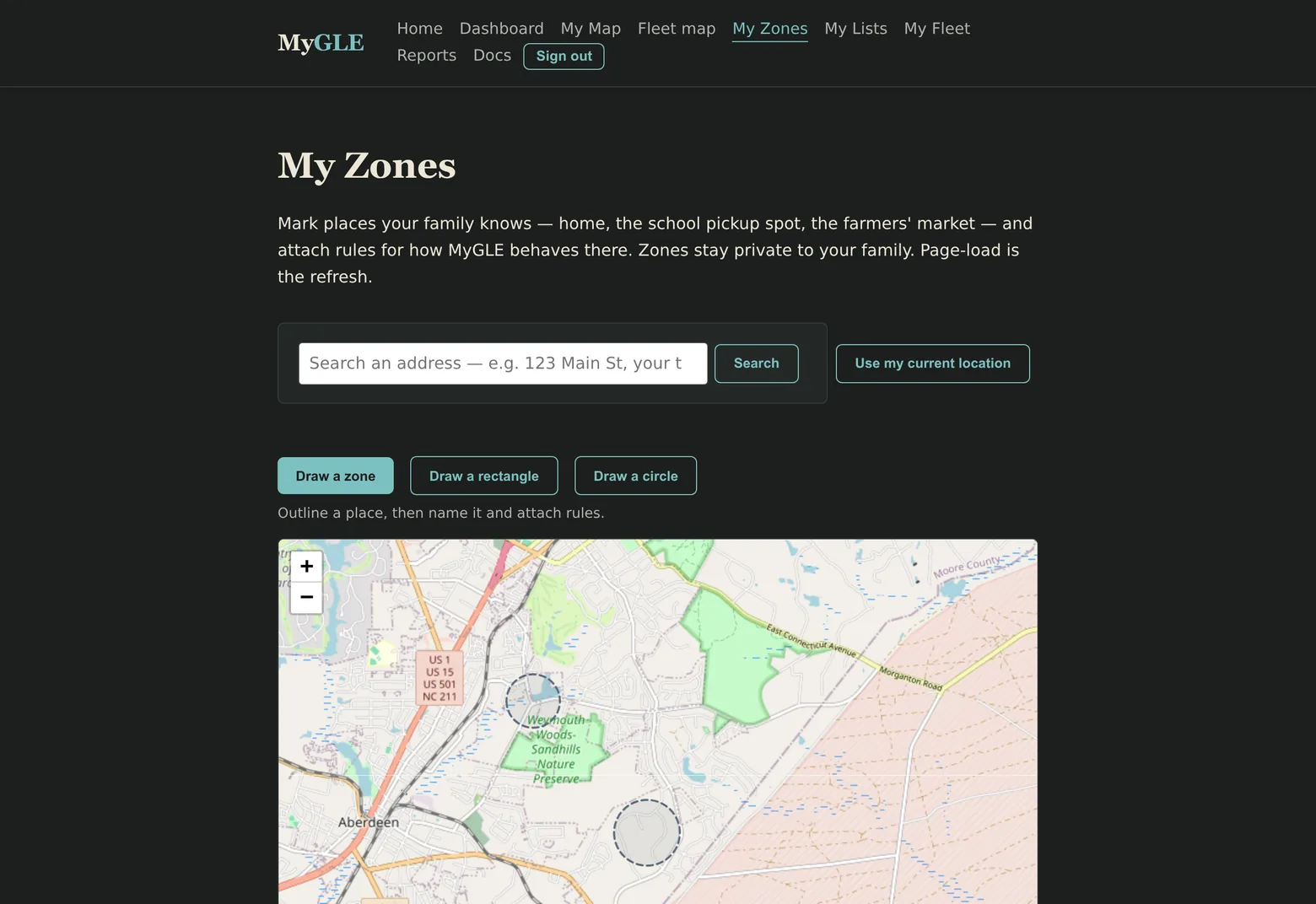
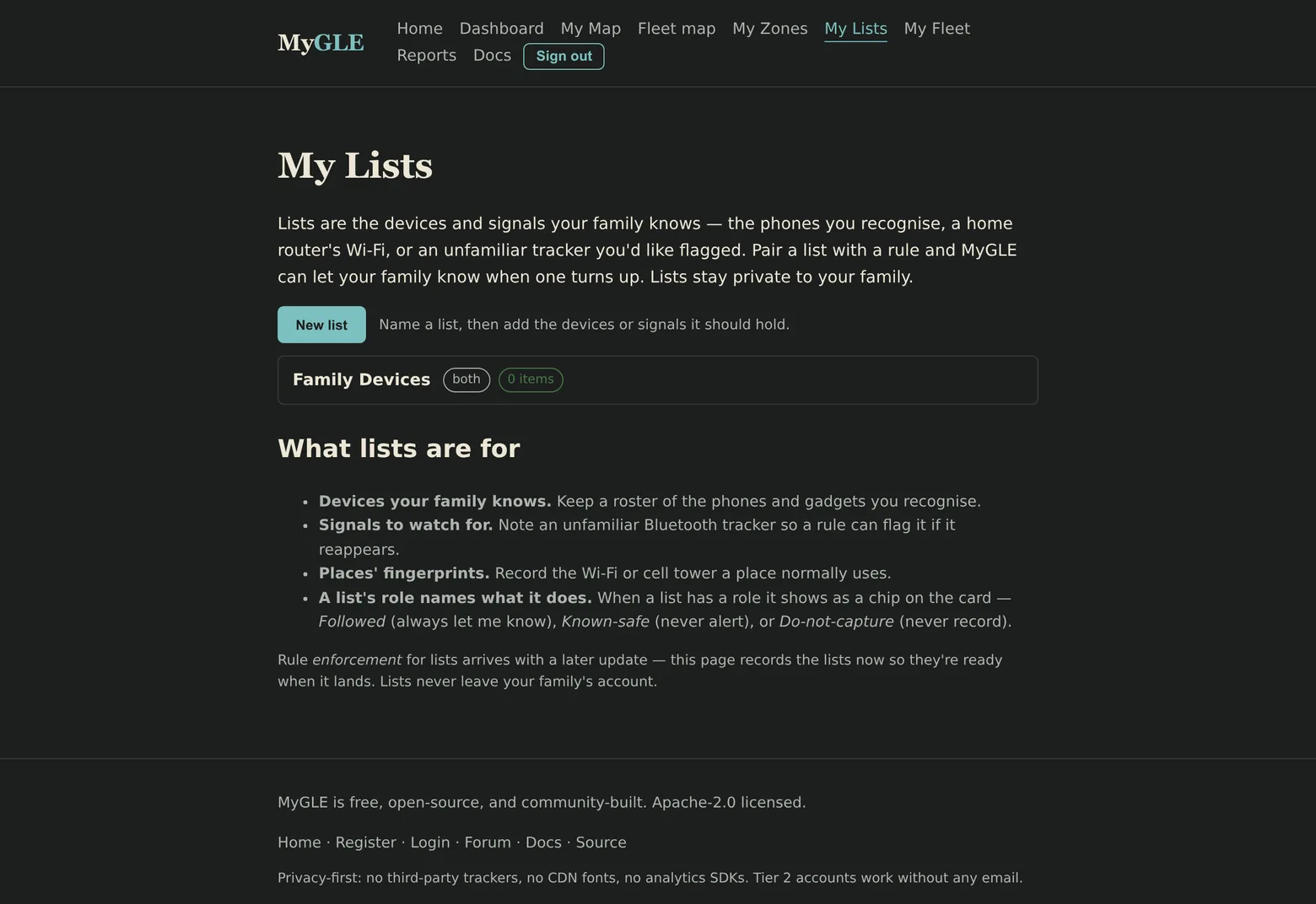
Draw the places that matter on a map — freehand, circle, or rectangle — and choose what happens inside each: notify, allow, capture-only, or do-not-capture, a black zone the app observes nothing inside. Keep your notify / allow / block lists and their members in the same family web app. Each zone or list can live on the device, on your backend, or both — your call.
A family web dashboard
Sign in to see your family's devices, when each phone was last heard from, and a rolling count of recent activity — alongside the zone and list editors above. Accounts and fleet data live in a PostgreSQL database the family controls, not a shared cloud you can't see into.
Family-safety analytic plugins
The backend ships with plugins that turn raw signals into plain-language safety insight. You choose which run for your family — nothing analyzes your data unless you turn it on:
- Traveler assistant — a daily travel summary of where a family member went and what was around them, so you know their day went as expected.
- Unfamiliar-tracker watch — flags an unknown Bluetooth tracker that keeps reappearing across a person's trips: the AirTag-style stalking pattern.
- GNSS signal health — checks that satellite-positioning fixes are strong and trustworthy, so the location data you rely on isn't quietly degraded.
- Advisory intel — watches government travel advisories and major-earthquake alerts and can flag when a family member is heading somewhere with an active warning.
Weekly digests, observation heatmaps, and milestone & anomaly alerts ship alongside them.
A fixed station for a place — property watch
MyGLE's sensor doesn't have to be a phone someone carries. Anything that can publish observations works — a spare Android phone left plugged in, a low-cost ESP-32 board, or a Raspberry Pi — so you can post one at a property and let it watch the local airwaves around the clock. Draw a safety zone around the place, turn on the unfamiliar-tracker and anomaly plugins, and that fixed station becomes the sensing half of a property-protection and alerting plan: a heads-up when a new tracker or unknown device starts hanging around a spot that should be quiet — a home while you're away, a shop after hours, a rural gate.
Real today: the app runs as a stationary sensor now, and safety zones and unfamiliar-tracker watch are shipped. In progress: a purpose-built ESP-32 “home anchor” (early firmware exists) and property-tuned anomaly alerts that build on the fake-infrastructure baseline work.
A family-owned backend
Your devices reach the backend over a TLS-encrypted MQTT link, and you run the ingest, storage, and analytics yourself — roughly one docker compose up away. No observation has to touch anyone else's infrastructure, and there's no analytics SDK, ad network, or third-party tracker anywhere in the stack.
We try to be honest about what's shipped versus what's planned. If you spot a claim on this page that doesn't match your experience, tell us and we'll fix it.
Privacy-focused features
MyGLE is built for families who care what leaves their devices and what stays on them. Some of this is shipped today; some is clearly on the roadmap — we mark which is which.
- Opt-in to every destination. (shipped) Nothing leaves a phone unless you explicitly enable a destination and supply its address. No baked-in servers, no analytics, no crash-reporting SDKs, no install tracking.
- Do-not-capture zones. (shipped) Mark a place off-limits and the app records nothing inside it — a home, a school, a shelter.
- No email or personal info required. (by design) An account needs only a name you choose. MyGLE is built so a family member can hold one with no email and no personal details attached.
- Self-host everything. (shipped) Run your own backend — about one
docker compose upaway — and no observation data touches third-party infrastructure. The website and the whole stack are self-hosted too: no third-party fonts, no CDNs logging who visits. - Limited devices. (planned) A phone that can publish observations but read nothing back — so a lost or seized device gives up the app and a server address, and nothing more.
- Wire-only storage. (planned) Skip the on-device history entirely; observations flow straight to your backend and nothing is kept on the phone.
- Configurable upload conditions. (planned) Send only on a trusted WiFi network, only on cellular, or only while charging — so your upload pattern can't quietly map your movements.
- Server-side lists. (planned) Keep your notify / allow / block entries on the backend instead of the device, so a phone never reveals what you're watching for.
Example: someone leaving an unsafe relationship. They need to know whether a hidden tracker is following them, and they need their phone to keep no record an abuser could later force open. The mix above is built for exactly that — do-not-capture zones around a shelter, an account with no email attached, unfamiliar-tracker watch, and (as they ship) wire-only storage and a publish-only device. None of it is exclusive to one situation: the same controls serve travelers, aid workers, journalists under NDA, or anyone who'd simply rather their phone not be a ledger of where they've been.
Where it's headed
The direction is simple: make the safety insights sharper, keep everything self-hostable on a cheap VPS, and never make your data the product. A few of the bigger things we're working toward — all planned, none shipped yet:
GPS-free, on-device positioning
Today the backend can already estimate where a device was from the WiFi landmarks around it. The next step is to bring that on-device and make it work without GPS at all — so a phone can still tell roughly where it is when satellite positioning is jammed, indoors, or simply unavailable. A real safety gap for anyone whose location matters; planned, not yet shipped.
A plugin marketplace
Every safety insight on this page is a plugin, and the plugin format already ships. The direction is a catalog families can browse to add new analyses — a tracker-watch tuned for a specific tag, a school-pickup summary — without writing code. The marketplace itself is still ahead of us.
Spotting fake infrastructure
Know if the "home WiFi" a kid's phone just joined is an impostor, or if a phone was quietly nudged onto a fake cell tower. We're working toward learning the WiFi networks and towers your family normally sees, then flagging the look-alikes — the classic Evil-Twin and fake-tower patterns — as a plain-language family-safety alert.
Family & neighborhood circles
Opt-in circles where a household — or a block of neighbors — pool just what they choose to share, to watch out for each other. Each contributor controls exactly what joins the shared picture; your private observations stay private. Useful for a family that wants to find each other's devices across phones, or a neighborhood that wants a sharper baseline than any one home could build alone.
A managed backend
For families who'd rather not run a server, a hosted backend you can point the app at — funded by donations, never by selling your data. Client and server stay open-source either way.
These are directions, not promises with dates. If one of them matters to your family, say so — it helps us decide what to build next.
Build it yourself
The whole build runs inside a container — no Android SDK install required on your machine. If you can run Docker, you can build MyGLE.
git clone <repo-url> mygle
cd mygle/docker
./build-apk.sh
First build pulls Gradle, the Android SDK, and all dependencies into a named volume. Subsequent builds reuse the cache. The APK lands at:
mygle-app/build/outputs/apk/debug/mygle-app-debug.apkInstall via ADB:
adb install -r mygle-app/build/outputs/apk/debug/mygle-app-debug.apk
MyGLE installs as its own standalone application (net.mygle.app); the launcher label shows as MyGLE.
Configure
The public build ships with nothing baked in — no broker, no servers, no keys. The first time you turn on publishing, MyGLE shows you exactly what will leave the phone and where it's headed before anything does. Point it at your family's backend, set a human-readable Device label (handy when you're provisioning several phones from one APK), and you're collecting.
A repo link will appear here as soon as the project's code is public. For now, if you'd like early access, email hello@mygle.net.
A big thank-you to WiGLE
MyGLE began as a fork of the open-source WiGLE WiFi mapping app, which has been actively maintained for over a decade by the WiGLE.net team (Andrew Carra, Robert Hagemann, Hugh Kennedy, and contributors). Their years of careful work on background scanning, BLE capture, and speed-adaptive collection gave this project its start.
MyGLE has since clean-forked into an independent codebase — its own application (net.mygle.app), released under the Apache-2.0 license, with the WiGLE scanner code removed. Attribution to the WiGLE project is preserved in our NOTICE file, in gratitude for the foundation.
Not endorsed by WiGLE.net. The name "WiGLE.net" and "Mimezine" are trademarks of their respective owners; MyGLE uses neither name to promote or endorse the fork.
Say hello
Questions, ideas, a safety feature your family wishes existed, or just want to follow along? Drop a note:
- hello@mygle.net
- Mirror domain
- mygle.org → redirects here.
Mail is hosted on a self-run Stalwart server — no third-party mailboxes, no training on your words, no surprise filters.